
TABLE OF CONTENTS
To clean a fiber optic connector, first make the link safe and inspect both mating end faces with a fiber scope. Remove loose contamination with a connector-specific dry cleaner, then inspect again. If oil or residue remains on an exposed ferrule, use an approved fiber-cleaning fluid and move once from the wet area of a lint-free wipe to the dry area. Reinspect before mating the connection.
In this guide, “fiber optic cable ends” means terminated connector end faces. Cleaning bare fiber before cleaving or fusion splicing is a different process, as explained in our guide to fiber optic patch cord manufacturing.
Why Fiber End-Face Cleaning Matters
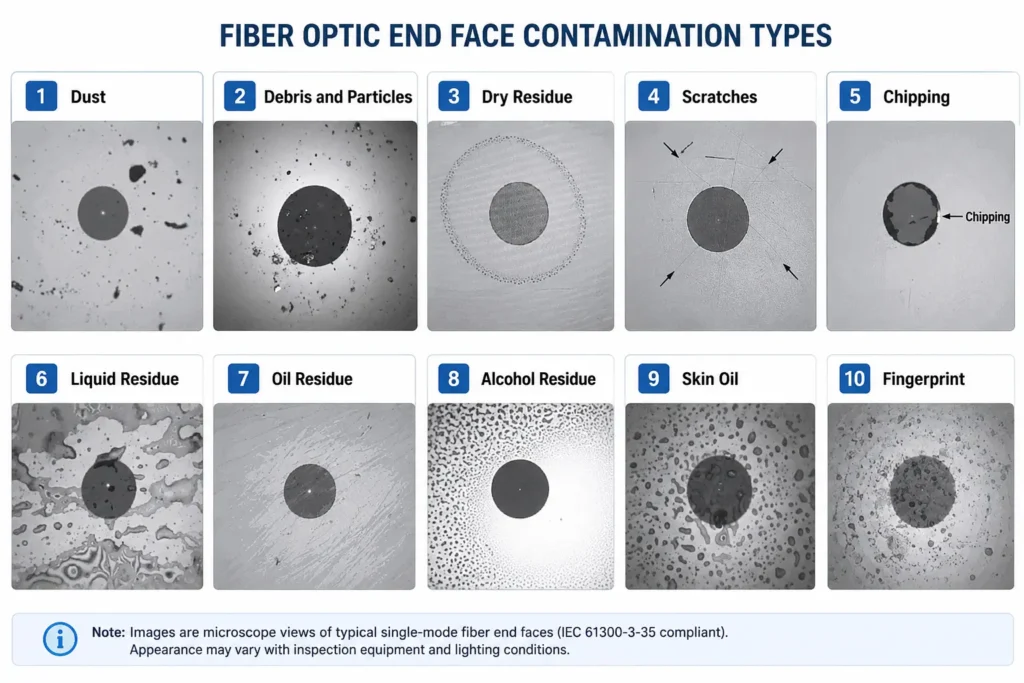
A fiber connector can look clean to the naked eye and still fail inspection. The core of a typical single-mode fiber is only about 9 µm across. According to Cisco’s fiber inspection and cleaning procedure, a 1 µm particle on a single-mode core can block up to 1% of the light, representing approximately 0.05 dB of loss. A 9 µm speck may be too small to see without a microscope but large enough to cover the core. By comparison, a human hair is commonly 50–75 µm in diameter.
Contamination does more than block light. Dust, skin oil, lint and dried cleaning residue can increase insertion loss and back reflection. A particle trapped between two physical-contact end faces can scratch the glass or hold the ferrules apart. Contamination outside the core can also create an air gap or alignment problem, and mating a dirty connector with a clean one can transfer debris to both sides.
The scale of the problem is reflected in an NTT Advanced Technology survey cited by Corning: 98% of installers and 80% of network owners identified connector contamination as the greatest cause of network failure. These figures describe what respondents reported; they should not be rewritten as proof that a fixed percentage of all failures is caused by dirt.
Inspect, Clean, Reinspect, Then Connect
The most reliable fiber optic cleaning rule is a closed loop:
Inspect → Clean when necessary → Reinspect → Connect
Inspection before cleaning shows whether the problem is loose dust, an oily film, dried residue or permanent damage. Inspection afterward confirms that cleaning improved the end face instead of moving contamination toward the core.
IEC 61300-3-35:2022 provides criteria for classifying debris, scratches and defects on fiber connector end faces. It also makes an important distinction: visual inspection complements but does not replace optical measurements such as attenuation and return loss. A connector that appears clean can still be misaligned, damaged or outside the required link-loss budget.
Choose the Right Fiber Optic Cleaning Method
There is no single cleaner for every interface and contaminant. The tool should match the connector geometry, where the end face is located and what the inspection image shows.
| Condition or interface | Start with | Escalate to | Important limitation |
|---|---|---|---|
| Exposed SC, LC, FC or ST end face with loose dust | Correct-size one-click or cassette cleaner | Reinspect before another pass | Use a fresh cleaning surface and do not clean blindly |
| Fingerprint, oil film or stubborn residue on an exposed ferrule | Approved fluid on a lint-free wipe, followed immediately by the dry area | Repeat once with a new cleaning area if required | Use very little fluid and never leave the end face wet |
| Recessed adapter, bulkhead or transceiver port | Connector-specific port cleaner or swab; dry first | Follow the equipment manufacturer’s procedure | Do not pour fluid into a port or insert household cotton swabs |
| MPO/MTP connector | Dedicated MPO cleaner and MPO inspection tip | Approved MPO wet-to-dry or automated method when required | Inspect every fiber position and the guide-pin area |
Can You Use Isopropyl Alcohol on Fiber Connectors?
The answer depends on purity, interface and procedure. Household rubbing alcohol is not suitable because it contains water and may contain additives that leave residue. A purpose-built, fast-drying, residue-free fiber cleaning fluid is the lower-risk default.
Some equipment procedures permit a small amount of reagent-grade 99% IPA on an exposed ceramic ferrule. If the connector or site SOP allows it, lightly dampen the wipe—do not soak it—and move immediately from wet to dry. Never let alcohol evaporate slowly on the end face. Do not apply liquid directly inside a bulkhead or transceiver, or allow it to collect in MPO guide-pin holes or connector cavities. When the equipment manufacturer specifies a different method, that instruction takes priority.
How to Clean Fiber Optic Cable Ends Step by Step
1. Make the link safe.
Turn off or isolate the optical source when the system procedure allows, disconnect the cable correctly and verify that the fiber is dark with suitable test equipment. Never look into a connector with your eyes or an ordinary magnifier. If a live-network procedure is unavoidable, follow the site’s laser-safety rules and use appropriate video inspection equipment.
2. Identify the interface.
Check whether the connection is LC, SC, FC, ST, APC, UPC or MPO/MTP, and whether you are handling an exposed patch-cord end or a recessed port. Select the correct inspection adapter and cleaning tool. A tool that physically enters the connector is not necessarily the correct size or geometry.
3. Inspect both mating end faces.
Examine the cable connector and the adapter, transceiver or test-port side. Look for particles, lint, smears, dried residue, pits and scratches. Cleaning only the patch cord can produce a clean connector that is immediately recontaminated by a dirty port.
4. Use the appropriate dry method first.
For loose dust, use a compatible one-click cleaner, cassette or other manufacturer-approved dry tool. Keep the tool aligned, apply light pressure and use a new cleaning surface for every pass. Do not scrub back and forth or reuse a wipe, swab or exposed section of cleaning tape.
5. Escalate to wet-to-dry when necessary.
If inspection still shows oil or stubborn residue on an exposed ferrule, place a small amount of approved cleaning fluid on one area of a lint-free wipe. Draw the end face in one direction from the damp area into a clean, dry area. Do not dip the connector in liquid or move it repeatedly over the contaminated part of the wipe.
6. Reinspect and connect immediately.
Inspect both surfaces again with the correct probe tip. If the end faces pass, mate them promptly to reduce recontamination. If contamination remains, use a fresh cleaning surface and repeat the appropriate method only a limited number of times. A mark that never moves may be damage rather than dirt.
Fiber connectors do not need cleaning on an arbitrary daily or weekly schedule. They should be inspected before mating and cleaned when they fail inspection, have been exposed or handled, are being reconnected, or are associated with abnormal test results.

Cleaning LC, SC, APC and MPO/MTP Connectors and Ports
Single-Fiber Connectors: LC, SC and APC
LC connectors normally use a 1.25 mm ferrule, while SC, FC and ST commonly use a 2.5 mm ferrule. One-click tools, scope adapters and swabs must match that size. Using a tool intended for SC on an LC interface can produce poor contact or damage instead of effective cleaning.
APC connectors require an APC-compatible inspection tip and cleaning technique. Their angled end face should be presented correctly to the cleaning surface rather than forced flat or rubbed at random. APC and UPC connectors must not be mated together; their different geometries can cause high loss, reflection and end-face damage. For the optical principle behind the angle, see why APC connectors use an 8-degree polish.
MPO/MTP Connectors and Recessed Ports
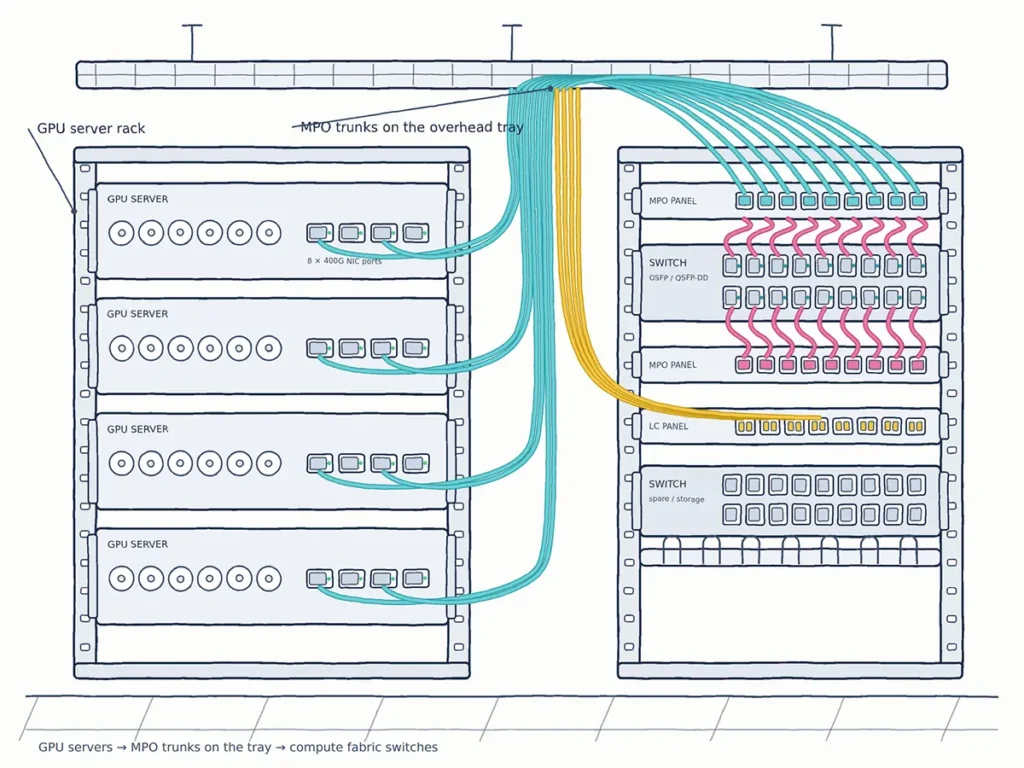
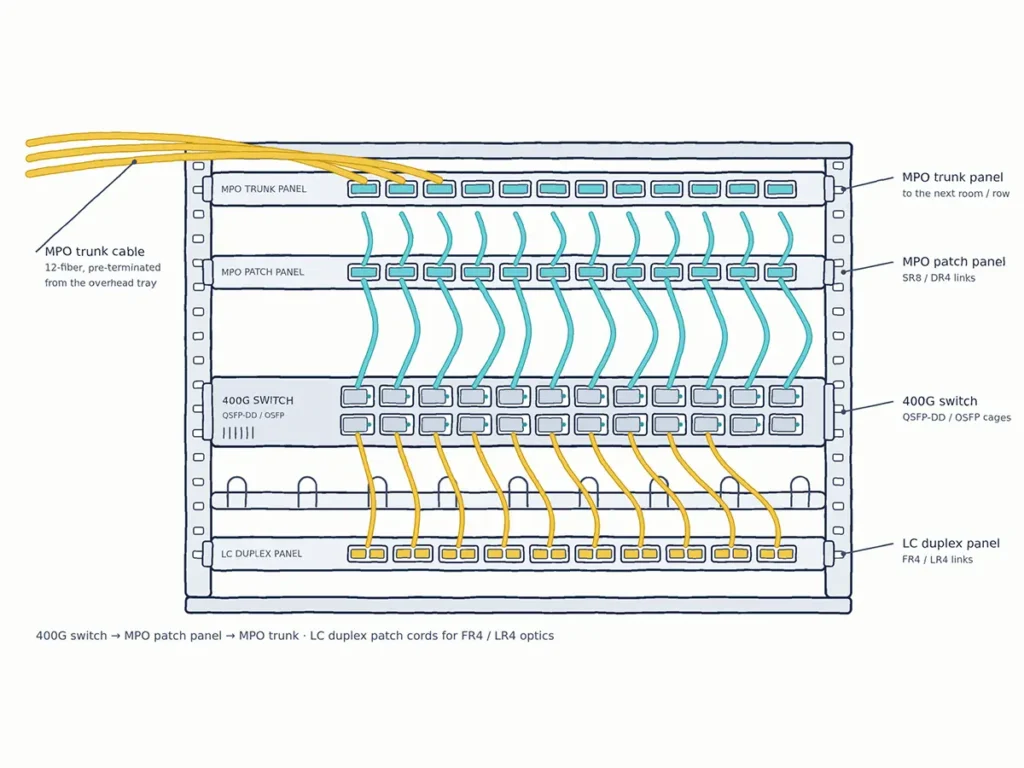
An MPO/MTP connector, commonly used in high-density MPO/MTP patch cable assemblies, has multiple fiber positions on one rectangular ferrule. A single clean-looking area therefore does not prove that the complete array is acceptable. Inspect every fiber, the surrounding contact area and the guide-pin region with an MPO-compatible probe. Use a dedicated MPO/MTP cleaning tool and inspection tip; a single-fiber cleaner is not a substitute.
In high-volume testing, the reference cord also needs attention. Repeated mating can transfer contamination and gradually change measured loss, making a clean production port appear defective. Inspect the test cord and instrument port as part of the same process, and replace a worn or damaged reference cord rather than compensating with repeated cleaning.
Recessed bulkheads and transceiver ports require special care because the end face is harder to see and fluid can become trapped. Use an appropriate probe microscope and port cleaner. If the port contains a lens rather than an exposed fiber end face, follow the transceiver or equipment manufacturer’s procedure; do not assume that a standard ferrule-cleaning method applies.
Fiber Cleaning Mistakes That Make the End Face Worse
Improvised materials often add the contamination they are supposed to remove. Clothing, facial tissue, ordinary paper, household cotton swabs and fingers can leave lint, oil or scratches. Blowing on a connector adds moisture, while ordinary canned air may introduce propellant or move particles deeper into a port. Use clean, dry, filtered air only when the equipment manufacturer explicitly permits it.
Other common mistakes include reusing a wipe or swab, flooding the connector with solvent, allowing IPA to dry slowly, cleaning only one side of a connection, and assuming a dust cap or sealed package guarantees cleanliness. Repeated clicks are not proof of a clean connector: the inspection result is the proof. Excessive cleaning can move debris toward the core or drag a hard particle across the glass.
What If the Connector Is Still Dirty—or the Link Still Fails?
First, watch whether the mark moves between inspections. Movable contamination can usually be cleaned; a fixed scratch, pit or burned area cannot. After a limited number of correct cleaning attempts with fresh materials, stop adding pressure and replace the patch cord, reterminate the connector or send the component for further evaluation.
If the end faces pass inspection but the link still has excessive loss, check the entire connection rather than cleaning indefinitely. Inspect the opposite end, adapter, transceiver or test port and the reference cord. Confirm that APC and UPC have not been mixed, the fiber mode and polarity are correct, the connectors are fully seated and the cable is not sharply bent. Then use an optical power meter/OLTS or OTDR as appropriate to measure the link. A visual pass does not replace a performance test.
Frequently Asked Questions
Should You Clean a New Fiber Optic Connector?
Inspect it before connection. New packaging and a dust cap reduce exposure but do not prove that the end face is clean. Manufacturing residue, dust from the cap or contamination transferred during testing and handling may still be present.
Is One Click Enough to Clean a Fiber Connector?
Sometimes, but the number of clicks is not the acceptance criterion. Inspect after cleaning. If contamination remains, determine whether the tool and method match the contaminant instead of clicking repeatedly without seeing the result.
Can I Clean a Fiber Connector Without a Microscope?
A controlled cleaning procedure may remove contamination, but without inspection you cannot confirm whether the end face improved or became worse. Professional installation, production testing, high-density MPO work and reflection-sensitive links should use a suitable video probe or fiber scope.
How Often Should Fiber Connectors Be Cleaned?
Use an event-based process rather than a fixed calendar. Inspect before mating, after a connector has been exposed or handled, when reconnecting a link, and when optical tests show unexplained loss. Clean when inspection or the approved site procedure requires it.
When Should a Connector Be Replaced Instead of Cleaned?
Yes, Quick ODN is designed with scalability in mind.
New users can be added by connecting additional pre-terminated drop cables to existing ports, without major reconstruction or fiber splicing. This makes it easier to expand the network as demand grows.
Final Checklist Before You Reconnect
Before mating a fiber connection, confirm that the link is safe, the inspection and cleaning tools match the interface, both end faces have been checked, the cleaning result has been verified and the connectors will be mated immediately.
Drawing on approximately 25 years of fiber optic manufacturing and quality-control experience, YingFeng treats end-face inspection as a required checkpoint before optical performance testing. If you are specifying fiber optic connectors, patch cords, adapters or MPO/MTP assemblies for a project, our team can help confirm connector type, polish, loss targets and inspection requirements before production.