
TABLE OF CONTENTS
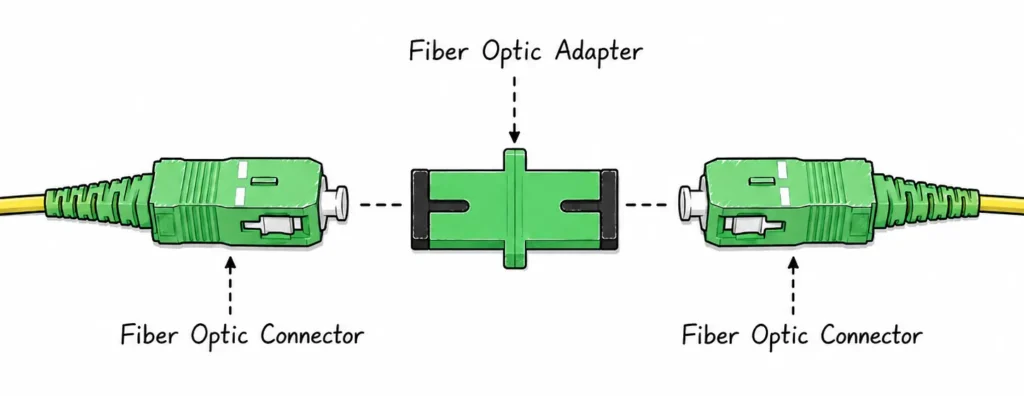
A fiber optic adapter is a passive alignment component that joins two compatible connectorized fiber interfaces. It holds the ferrules in a controlled position so light can pass from one connector to the next. In catalogs it may also be called a coupler, but it is not the same as a fiber optic connector: the connector is the terminating interface on the cable or pigtail, while the adapter is the mating interface between connectors.
An adapter does not convert single-mode fiber into multimode fiber, change an APC end face into UPC, or correct a poor optical budget. Its job is precise, clean, repeatable mechanical alignment. That is why compatibility and handling matter more than a front-panel photo or a single part number.
How a Fiber Optic Adapter Works
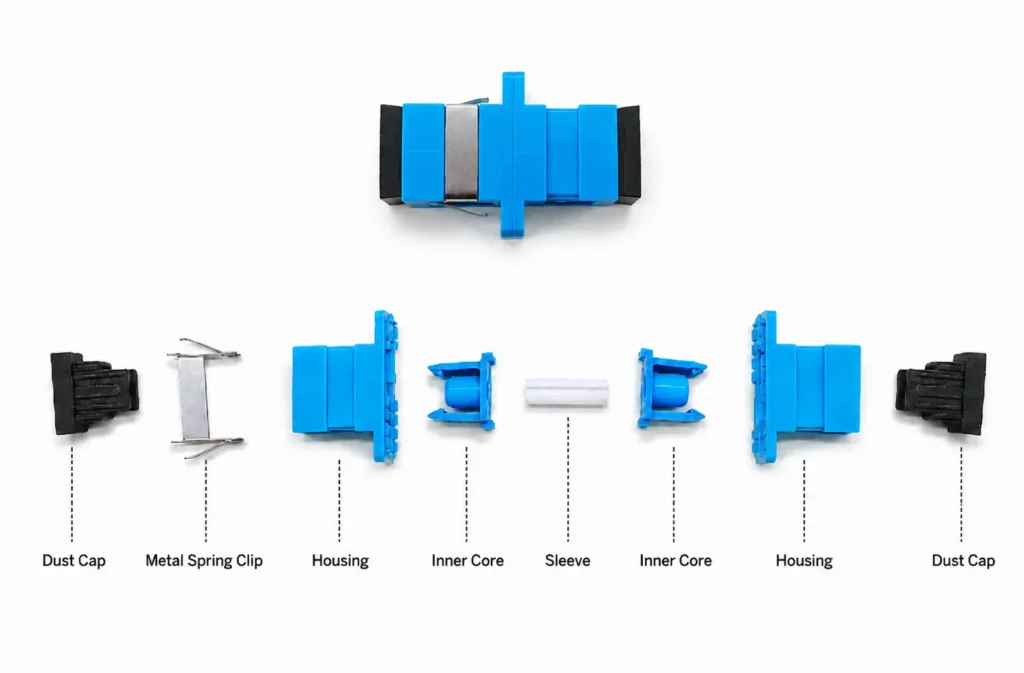
Alignment sleeve and ferrules
Inside most adapters, an alignment sleeve guides the two connector ferrules into position. The sleeve material, manufacturing tolerance, connector condition and cleanliness all affect how consistently the mating connection performs. A high-quality sleeve cannot compensate for a scratched ferrule, a contaminated end face or a connector that is not fully seated.
What an adapter does not do
Treat the adapter as one part of a complete connection path. It cannot remove the need to match connector family, polish, fiber mode, port configuration and application requirements. Before approving a part, check the mating components together: the adapter, the pigtail or patch cord, the panel or enclosure, and the intended operating environment.
Fiber Optic Adapter Types

By connector interface
SC and LC adapters are common in FTTH, telecom rooms, enterprise cabling and data centers. FC and ST remain relevant in test, legacy and some industrial installations. MPO/MTP adapters support multi-fiber interfaces used in high-density systems. The connector family must be matched to the installed connector, not chosen only for availability.
Color coding: a useful clue, not a compatibility decision
On commonly used SC and LC components, green is widely used to identify APC and blue to identify UPC or PC. Treat color as a field-identification cue, not as permission to mate parts: manufacturers may use other colors, and the product label, drawing and link specification remain the final checks.
MPO/MTP adapters: keying matters as much as polish
An MPO/MTP adapter does not itself have a UPC- or APC-polished fiber end face; the polish is on the mating MPO/MTP connectors. The adapter must still match the complete connector system. APC plugs should mate only with APC plugs, while key orientation, fiber count, pin/gender arrangement and the Type A/B/C polarity method must also match the design. Do not assume that a generic MPO adapter is interchangeable across all MPO/MTP assemblies.
| Adapter family | Typical configuration | Where it is often used |
| SC | Simplex, duplex; UPC or APC variants | FTTH/PON, telecom distribution and general single-mode links. |
| LC | Simplex, duplex or quad | Data-center and enterprise equipment-side density. |
| FC / ST | Usually simplex | Test, legacy, industrial or specialized installations. |
| MPO/MTP | Multi-fiber interface | High-density trunks and parallel-optics architectures. |
Same-interface, hybrid and bare-fiber adapters
A same-interface adapter mates the same connector family at both ends, such as LC to LC. A hybrid adapter is intended for two different connector interfaces and should be reviewed as a complete compatibility combination, not as a shortcut around polish or fiber-mode rules. A bare-fiber adapter is used to temporarily or selectively hold a stripped fiber for testing or termination work; it is not a substitute for a finished connectorized link.
By port count, mounting and environment
Simplex, duplex and quad formats affect density and routing. Flanged and flange-less bodies affect panel fit. Shuttered, dust-protected, metal-body or sealed variants may be appropriate where access, contamination or exposure requires more protection. Confirm the actual panel cutout, adapter plate and cable-routing arrangement before purchase.
Compatibility Checklist: Choose in This Order
1. Match connector family and polish
Start by confirming the connector interface on both sides: SC, LC, FC, ST or MPO/MTP. Then confirm the end-face polish. APC and UPC are different physical-contact geometries and should not be mixed. Use drawings, labeling and color conventions as aids, but approve the part against the specified connector and cable assembly.
2. Confirm fiber mode and port configuration
Check the link design for single-mode or multimode fiber, simplex or duplex routing, and any polarity-managed multi-fiber system. An adapter may look mechanically compatible while still being wrong for the installed cable architecture. In high-density systems, make sure the port layout supports the intended cable exits and access method.
3. Check the panel, density and environment
For a rack or optical distribution frame, confirm the adapter plate format, available space, access direction, bend-radius control and labeling method. For a field enclosure, consider dust, moisture, vibration and the level of physical protection required by the site.
4. Request performance and quality documents
Ask the supplier for the applicable insertion-loss and return-loss specification, test method, sleeve material, operating conditions, durability information and relevant compliance documentation. Do not convert a catalog headline into a universal field result; approve values against the actual product configuration and project acceptance requirements.
Adapter Selection Examples
FTTH and PON distribution

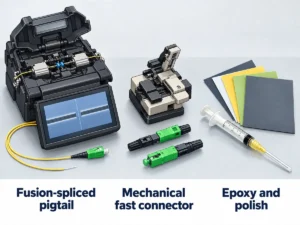
SC/APC is frequently specified in access networks. The adapter must match the installed connector and panel arrangement, while the associated fiber fast connector or pigtail must follow the same project specification. Verify the cable entry, dust protection and service access in addition to the optical interface.
In many FTTH and PON distribution networks, SC/APC is specified because the angled end face directs reflected light away from the fiber core, which helps in reflection-sensitive access links. SC/UPC is also used in some equipment, indoor links and regional deployments, so the project specification – not the sector name or the housing color – must decide the adapter. Do not state that UPC is generally the default for all FTTH projects.
Data center and enterprise equipment rooms
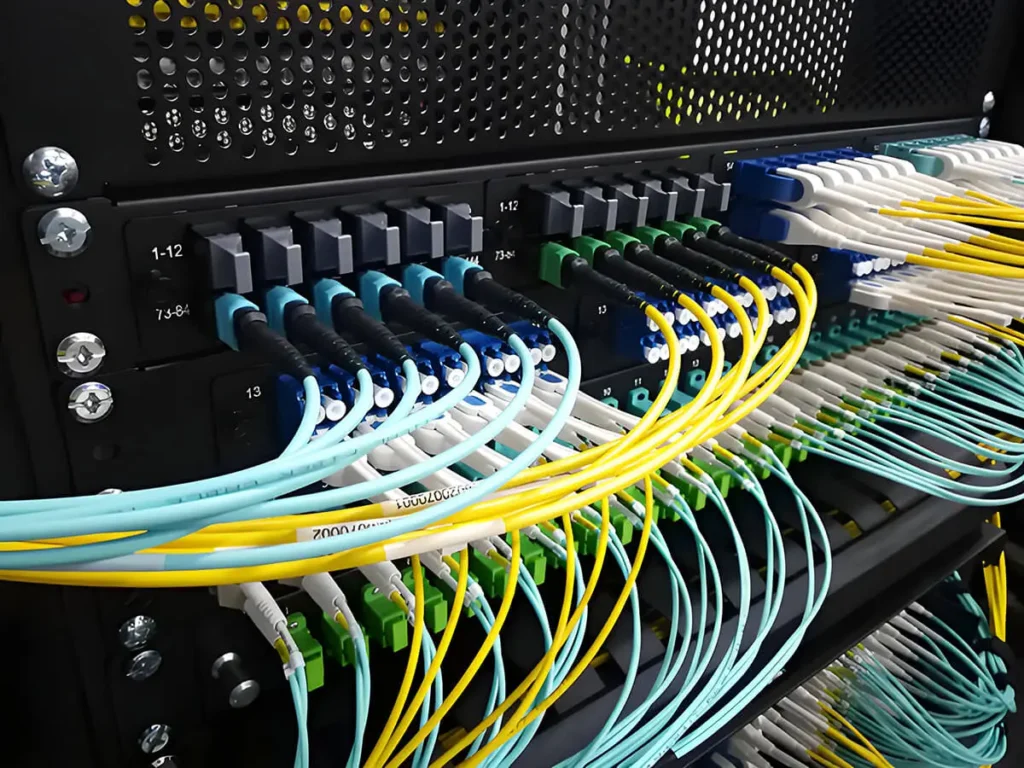
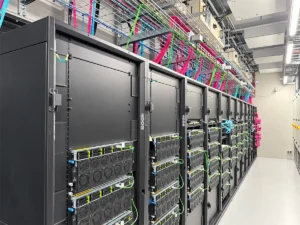
LC duplex and quad adapters are common where equipment density and patching access matter. MPO/MTP interfaces may be used for trunk and cassette systems. Plan the adapter arrangement with the cable path, polarity method, labeling and maintenance space rather than choosing density in isolation.
Do not use data-center deployment as a shortcut for APC. Many equipment-side data-center interfaces use LC/UPC, or an MPO/MTP arrangement specified by the transceiver and cabling system. APC can be used in selected single-mode transport or other reflection-sensitive designs, but it is not a universal data-center default. Match the adapter to the transceiver, cassette or panel, cable assembly and documented polarity method.
Test and legacy systems
FC, ST, hybrid and bare-fiber adapters can be useful when servicing existing installations or linking test equipment. The priority is to identify exactly what is on each side of the interface. If the application is temporary, record the connection and remove temporary test adapters from the permanent link design.
Cleaning and Inspection
A practical routine is inspect – clean – inspect. Use approved cleaning tools for the connector end face, keep dust caps in place when ports are not in use, and avoid touching ferrules or blowing debris into an adapter. If a connection is unstable, inspect both mating connectors and the adapter path before replacing parts.
Never attempt to solve an APC/UPC mismatch by forcing the connection. If the polish or connector family is uncertain, stop and check the assembly documentation. A short verification step is less costly than contaminating or damaging multiple connection points.
Frequently Asked Questions
Is a fiber optic adapter the same as a coupler?
The terms are often used for the same passive mating component. In procurement, verify the connector interface, polish, sleeve and mounting details instead of relying on the name alone.
Can APC and UPC connectors be connected through the same adapter?
No. They should not be mated as an interchangeable pair. Match the connector and polish specified for the link.
Should I choose a ceramic or phosphor-bronze sleeve?
The correct sleeve depends on the connector system and product design. Request the supplier specification and evaluate it against the application, mating frequency and project requirements.
How do I identify the adapter I need?
Start with the connector on each side, then confirm polish, fiber architecture, port configuration, panel fit and environment. A drawing or photo of the existing interface can help the supplier verify the match.
Choose the Adapter as Part of the Whole Link
The right adapter is the one that matches the complete connection path and keeps future service work simple. For product options or help checking a required interface, review YingFeng’s Fiber Optic Adapters page with the connector, cable and panel details together.