
TABLE OF CONTENTS
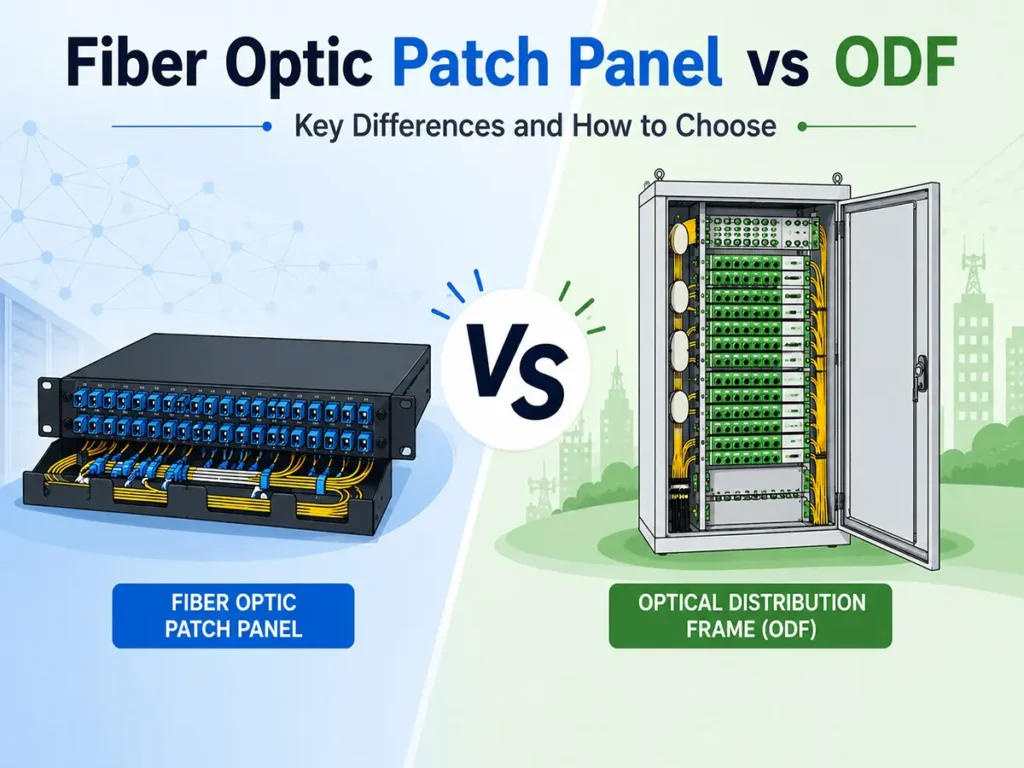
A fiber optic patch panel and an Optical Distribution Frame (ODF) can look similar because both organize optical fibers and provide adapter ports. From a system perspective, a patch panel can be understood as the fiber distribution panel or adapter interface inside a broader ODF system. The ODF is the complete fiber distribution system, which may include patching panels, splice trays, cable fixing units, slack storage, protection, labeling, and cable routing.
In product catalogs, however, “fiber optic patch panel” is also used as a standalone product name for rack-level termination, patching, and cross-connection. In short, choose a fiber optic patch panel for accessible connections inside a rack. Choose an ODF when you need a complete system for higher-capacity termination, fusion splicing, protection, storage, and distribution, especially where outdoor cables, telecom rooms, FTTH networks, or expansion are involved. In many projects, the best design uses both.
Fiber Optic Patch Panel vs ODF Comparison Table
| Item | Fiber Optic Patch Panel | Optical Distribution Frame (ODF) |
|---|---|---|
| Main role | Rack-level patching and cross-connection | Fiber termination, splicing, storage, and distribution |
| Typical location | Data center rack, server room, IDF, enterprise cabinet | MDF, telecom room, central office, FTTH node, building entrance |
| Common capacity | 12F, 24F, 48F, 96F; high-density versions may support 144F or more | 96F, 144F, 288F, 576F, 720F, or 1000F+ depending on frame design |
| Cable type | Patch cords, pre-terminated trunk cables, indoor distribution cables | Outdoor cable, backbone cable, feeder cable, distribution cable |
| Splicing | Optional, usually with splice trays or pigtails | Usually a core function |
| Maintenance style | Frequent moves, adds, and changes | More stable backbone management with controlled access |
| Best for | Equipment interconnection and flexible patching | High-count fiber protection and long-term fiber distribution |
What Is a Fiber Optic Patch Panel?

A fiber optic patch panel is a rack-mounted or wall-mounted fiber management unit used to terminate and organize fiber connections. It usually contains adapter plates, cable entry points, routing guides, labels, and sometimes splice trays. The front side provides LC, SC, FC, ST, or MPO/MTP ports; the rear side connects to incoming cables, pigtails, trunk cables, or pre-terminated assemblies.
The main purpose is flexibility. Instead of connecting equipment directly to backbone cables, technicians can patch through the panel with short fiber optic patch cords. This makes troubleshooting, port changes, and upgrades easier.
Common types include 1U/2U/4U rack mount patch panels, wall mount termination boxes, sliding drawer panels, fixed panels, LC/SC hybrid panels, MPO/MTP cassette panels, loaded panels, unloaded panels, and panels with splice trays. For small installations, a 12F, 24F, or 48F patch panel may be enough. In data centers, high-density LC or MPO/MTP patch cable systems can support higher port density.
What Is an Optical Distribution Frame (ODF)?

An Optical Distribution Frame, or ODF, is a fiber management system for termination, splicing, protection, storage, and distribution. Compared with a standard patch panel, an ODF usually has stronger cable management, more splice capacity, better fiber slack storage, and a more structured layout for high fiber counts.
ODFs are common in telecom central offices, FTTH networks, campus backbones, building entrances, and data center main distribution areas. An Optical Distribution Frame may be wall-mounted, rack-mounted, cabinet-style, or floor-standing, with splice trays, adapter modules, pigtail storage, cable fixing units, and grounding points.
Key Differences Between ODF and Fiber Patch Panel
1. Function: Patching vs Distribution
A fiber optic patch panel focuses on connection access. It gives technicians a clear front interface for patching equipment ports, rearranging links, and labeling circuits.
An ODF has a broader distribution role. It terminates incoming cables, stores fiber slack, protects fusion splices, routes fibers to different outgoing directions, and provides adapter ports for testing or patching. In telecom and FTTH networks, it is often the main handover point between outside plant cables and indoor equipment.
2. Capacity and Scalability
Capacity is one of the easiest ways to separate the two products. A fiber patch panel is often used for 12 to 96 fibers in one rack section, although high-density designs can go higher. An ODF is more suitable for 144F, 288F, 576F, or more fibers.
Avoid designing for only today’s exact fiber count. Reserving 20% to 30% spare capacity can reduce future replacement work. For example, a 48F requirement may justify a 72F or 96F solution if more users, splitters, or ports are expected.
3. Installation Location
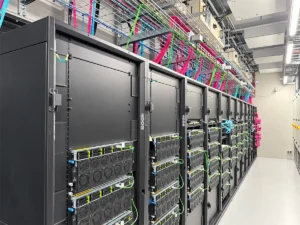
Fiber patch panels are usually closer to active equipment. You will find them in data center racks, network cabinets, enterprise server rooms, or IDF rooms where technicians need fast access to ports. ODFs are more common at main fiber concentration points such as MDF rooms, building entrances, telecom exchanges, FTTH distribution nodes, and backbone cable rooms.
4. Splicing and Cable Protection
Some fiber patch panels include splice trays, but splicing is often optional. Many patch panels are used with pre-terminated trunk cables or adapter plates only.
For an ODF, fusion splicing and fiber protection are often central requirements. The frame must hold splice sleeves, organize pigtails, store extra fiber length, and guide the fiber path without sharp bending. Poor routing, tight bends, dirty connectors, and bad splice management can all increase attenuation.
For context, the Fiber Optic Association lists typical attenuation values of about 3 dB/km at 850 nm for many multimode links and 0.2 to 0.3 dB/km at 1550 nm for single-mode fiber. In high-speed, long-distance, or PON links, the termination area can become a meaningful part of the loss budget.
5. Maintenance Frequency
A patch panel is designed for frequent access. Ports may be changed when equipment is moved, upgraded, tested, or reconfigured. An ODF should be more controlled. Good ODF design separates storage, splicing, and patching areas so that one maintenance action does not accidentally pull or bend nearby fibers.
When Should You Choose a Fiber Optic Patch Panel?
Choose a fiber optic patch panel when your main need is flexible rack-level connection management. It is usually better for enterprise cabinets, data center rows, server rooms, switch-to-switch links, and pre-terminated cabling systems.
A patch panel is especially suitable when:
- The fiber count is 12F, 24F, 48F, or 96F
- The panel is installed inside a 19-inch rack or cabinet
- Technicians need frequent port changes
- The network uses LC, SC, or MPO/MTP patching near active equipment
- The incoming cable is already pre-terminated
- Space efficiency and front-access patching are priorities
For data centers, high-density LC or MPO/MTP patching may provide better rack utilization.
When Should You Choose an ODF?
Choose an ODF when your network needs higher-capacity fiber termination, better cable protection, and more structured long-term distribution. This is especially true for telecom, FTTH, campus backbone, operator, and building entrance applications.
An ODF is usually the better choice when:
- Outdoor or backbone fiber cable enters the facility
- Fusion splicing is required
- The fiber count is 144F, 288F, 576F, or higher
- Cable slack and splice sleeves need organized storage
- The network needs controlled access to backbone fibers
- The project may expand in phases
- The installation must support feeder, distribution, and equipment-side fiber routing
For FTTH and PON networks, ODFs are often used with splitters, pigtails, adapters, and distribution cables. They also help separate incoming backbone cables from equipment-side patching.
Do You Need Both a Patch Panel and an ODF?
In many professional networks, the question is not “patch panel or ODF?” but “where should each one be used?” A typical design may look like this:
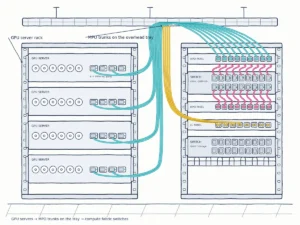
OSP cable -> ODF -> trunk cable -> fiber patch panel -> switch, OLT, router, or transmission equipment
In this design, the ODF handles the incoming cable, splicing, protection, and main distribution. The fiber patch panel handles equipment-side patching. This reduces the risk of disturbing backbone fibers while giving technicians a convenient place for daily changes.
For a small enterprise rack, a patch panel alone may be enough. For a telecom entrance room or FTTH project, an ODF may be essential. For a larger data center or campus network, both may be used in different layers.
The same layered approach is also common outside the data center. In factories, substations, and rail systems, fibers from the ODF or a wall-mount termination box often run to switches inside control cabinets, forming the backbone of industrial Ethernet networks. In these environments, dust, vibration, and temperature changes are part of daily operation, so a short and clearly labeled patching side makes maintenance safer and faster.
Buying Checklist for Patch Panels and ODFs
Before choosing a product, define the project in engineering terms instead of ordering only by name. A “fiber optic patch panel” from one supplier may overlap with a small rack-mount ODF from another supplier.
Use this checklist:
- Current fiber count and expected expansion
- Rack, wall, cabinet, or floor-standing installation
- 1U, 2U, 4U, or higher frame space
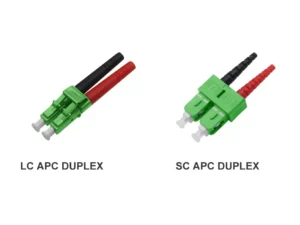
- Connector type: LC, SC, FC, ST, MPO/MTP, or hybrid
- End face type: UPC or APC
- Fiber type: single-mode OS2 or multimode OM3/OM4/OM5
- Adapter type and quality
- Splice tray quantity and splice sleeve capacity
- Cable entry and cable fixing method
- Bend radius and fiber slack storage design
- Labeling and port identification
- Dust caps, cable managers, grounding, and accessories
- Factory test report requirements
If the project uses many fiber optic adapters, pigtails, patch cords, or MPO assemblies, confirm compatibility before installation. Small mismatches can delay a project.
FAQs About Patch Panel vs ODF
Is an ODF the same as a fiber optic patch panel?
Not exactly. Some small rack-mount ODFs look like patch panels, and some patch panels include splice trays. However, a patch panel is mainly for accessible patching, while an ODF is designed for higher-capacity termination, splicing, protection, and distribution.
Can a fiber patch panel include splice trays?
Yes. Many rack-mount patch panels can include splice trays for pigtail splicing. In that case, the product overlaps with a small ODF. The difference depends on capacity, cable management, protection level, and application.
Which is better for data centers?
For rack-level server, switch, and transceiver connections, a fiber patch panel is usually more convenient. For the main distribution area, backbone cable entry, or high-count cross-connect zone, an ODF may be more suitable.
Which is better for FTTH networks?
ODFs are usually better for FTTH and PON distribution points because they support higher fiber counts, fusion splicing, splitters, feeder cables, distribution cables, and long-term route management.
Final Recommendation
If your project only needs clean rack-level fiber connections, a fiber optic patch panel is usually the practical choice. If it involves high fiber counts, outdoor cable entry, fusion splicing, FTTH distribution, or long-term backbone protection, an Optical Distribution Frame is usually stronger.
For many B2B projects, the best answer is a combined design: use an ODF for protected fiber termination and distribution, then use patch panels for equipment-side flexibility. If you are not sure which structure fits your network, send your fiber count, rack size, connector type, cable type, and application scenario. YingFeng can recommend a suitable fiber management solution.